


Ringtone Maker: Music Cutter
4.63.50K Reviews
App Specs
- Version
- 1.01.98.0824
- Updated On
- License
- Free
- Downloads
- 10,000,000+
- Developer
- Dairy App & Notes & Audio Editor & Voice Recorder
- Categories
- Music & Audio
- Platform
- Android, iOS
Screenshots
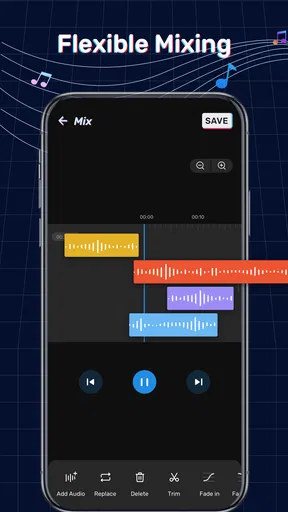
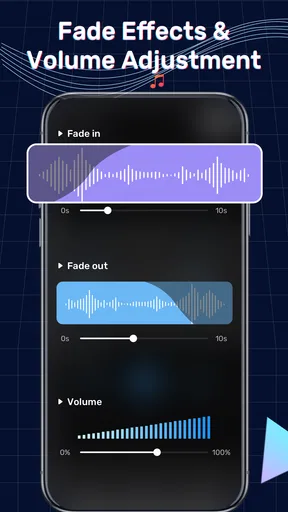
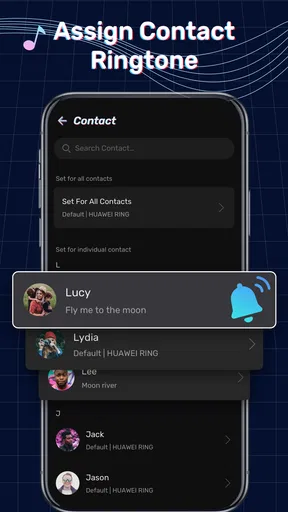
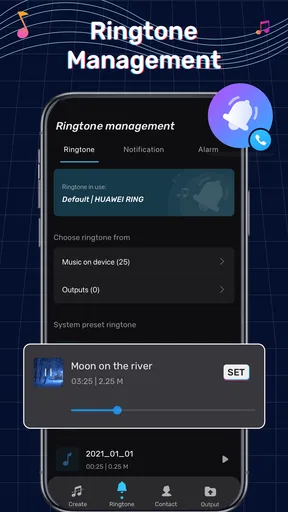
 Analysis by AppCompare
When I want a phone alert to sound like something I chose rather than a default, a simple audio cutter is appealing. Ringtone Maker: Music Cutter is aimed at that small, practical job: turning a chosen piece of audio into a ringtone or other phone sound. I see its main appeal in making a quick edit without needing to learn a full music-production app.
How quickly can you get to a usable clip?
The basic idea is straightforward: choose audio, mark the section you want, and save it for use on your phone. That makes this a better fit for short edits than for building a track or carefully mixing several layers. If you already know which moment you want, the process should feel direct; if you are still hunting through a long song, the selection step is where most of your time will go.
For a practical result, I would start by listening for a section that makes sense when it begins suddenly. A chorus may sound great in context but feel jarring as an alert, while a short instrumental phrase can be easier to recognize and less intrusive. The best clip is not always the loudest or most dramatic one.
What happens during a heavier editing session?
Making one short ringtone is a light task compared with working through a long recording or repeatedly adjusting several candidate clips. I would treat the app as a focused cutter rather than an all-purpose audio workstation: decide what you want before editing, save a clear version, and listen to the result outside the editor as well. A clip that sounds balanced while previewing may feel different as a real notification.
That workflow also helps avoid unnecessary rework. I would keep an untouched copy of any recording I care about and make edits from that source, especially for a spoken reminder or a sound captured in the moment. If the first cut begins too abruptly, trying a slightly different start point is often more useful than adding effects automatically.
Reliability, organization, and everyday use
For a ringtone tool, reliability means more than opening quickly: the selected clip should remain recognizable after saving, and I should be able to find it again when I want to change a sound. The app is positioned around creating and managing custom tones, so naming files clearly is a sensible habit. Labels such as “doorbell alert” or “morning alarm” are more useful later than a vague song title.
I would also test a new sound at the volume and in the setting where I plan to use it. A quiet fade may be pleasant for an alarm but easy to miss as a notification; a sharp opening may work for a call and feel disruptive in a quiet room. That small real-world check matters more than polishing a clip indefinitely.
Worth Reading Before You Choose

EA SPORTS FC Mobile 26 Is a Bigger Football Game, but It Takes Time

Flipboard Shows What News Apps Must Do Beyond the Feed

Switching to Android Auto Means Rethinking Your Driving Routine

Google Calendar Makes a Crowded Week Easier to Manage

Ludo King Makes the Most of the Minutes Between Plans

Baby Panda World Brings Quick Play to Modern Phones, but Its Game Library Feels Busy
Getting to Know the App
Ringtone Maker: Music Cutter is an Android app in the music and audio category, developed by Dairy App & Notes & Audio Editor & Voice Recorder. It is free to install, has an Everyone age rating, and offers in-app purchases priced from $1.99 to $43.99 per item. Its current version is 1.01.87.0214, and it runs on Android 7.0 or later. The app has a 4.5 average from around 259,000 ratings and has passed 10 million installs, which suggests that ringtone editing is a familiar, useful job for many people.
Features That Stand Out
The first thing you notice when you open the app is its clean and intuitive interface. You don't need to be tech-savvy to figure things out. It’s all laid out in a way that just makes sense. You can easily import songs from your device or cloud storage, which is super handy if you have a sprawling music library.
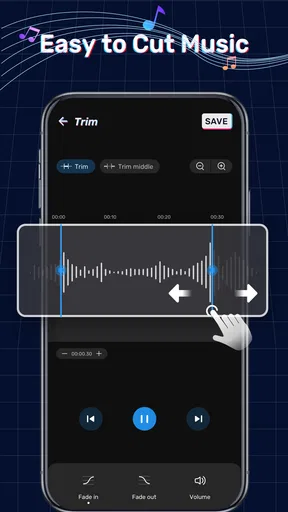
Now, let’s talk about the cutting feature. It’s as simple as pie. You just select the part of the song you want as your ringtone and cut it. The precision is impressive, allowing you to trim down to milliseconds. This means you can get creative with those song intros, epic guitar solos, or even the high-pitched chorus.
One cool feature is the fade-in and fade-out effect. It makes your ringtones sound more professional and less abrupt. Imagine your ringtone starting softly and gradually building up volume. It’s a small touch, but it makes a huge difference.
Why this is handy for quick personalization
A realistic everyday use is choosing a memorable bit of a track for calls while keeping a gentler sound for alarms. I would make two separate edits rather than reuse one clip everywhere: the call tone can be distinctive, while an alarm benefits from a start that does not make waking up feel like an emergency. Keeping the clips short also makes them easier to identify when choosing between saved sounds.
Compared with the usual alternatives, this app sits between a phone’s built-in sound settings and a full audio editor. The built-in options are quicker if you are happy with preset tones, but they do not give the same freedom to choose a particular moment from audio. A professional editor can offer much more control, yet that extra complexity is unnecessary when all you need is a clean cut and a basic fade. I would choose this app for a personal tone, not for detailed production work.
Who will get the most from it?
It makes the most sense for someone who already has audio on their device and wants to turn a small portion into a call, alarm, or notification sound. It can also suit people who prefer a spoken cue or a familiar musical phrase over generic alerts. If your goal is only to change a ringtone to one of the sounds already on your phone, the system settings are simpler and there is little reason to add an editor.
There are also practical limits to keep in mind. A song being available to play does not automatically mean every source can be edited in the same way, so I would begin with an audio file I can access directly rather than assume every streaming track is ready to cut. If you need advanced noise cleanup, multitrack mixing, or fine control over sound design, a dedicated audio editor is a better match.
Why You'll Love It
Okay, so besides making your ringtone dreams come true, there’s more to love about this app. Firstly, it’s free. That's right, you get all these features without spending a dime. There are ads, but they’re not intrusive, and you can remove them with an in-app purchase if they bother you.
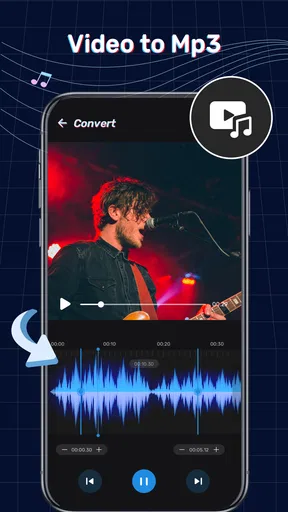
Another thing that caught my attention is the app's support for multiple formats. Whether your music is in MP3, WAV, AAC, or another popular format, Ringtone Maker: Music Cutter handles it like a champ. It’s also great that you can use it to record audio and edit it right then and there. Perfect for capturing live sounds or personal voice notes.
Small choices that improve the result
For a less obvious but useful workflow, I would make a rough cut first, listen to the start and end, and then adjust only the part that sounds awkward. This is more reliable than trying to perfect the selection by eye alone. A fade can soften an abrupt edge, but it cannot fix a cut that removes the musical cue that makes the clip recognizable.
Recording a sound directly can be handy for a personal alert, such as a short spoken reminder, but it is not automatically the best choice in a noisy place. For that kind of recording, I would capture it somewhere quiet and replay it before saving. The trade-off is convenience versus clarity: a spontaneous recording is quick, while a cleaner source may make a more dependable alert.
What to expect from the app on your phone
This is an Android app, so it is not a cross-platform solution for an iPhone. It first appeared on April 19, 2021, and its minimum operating system is Android 7.0. If your device meets that requirement, the editing task itself is modest, but I would still avoid judging performance from a single brief cut on an unfamiliar phone. Larger audio files, repeated previews, and switching between apps can make a session feel less immediate than trimming one short clip.
The app’s free starting point makes it easy to try, but the listed in-app purchases range from $1.99 to $43.99 per item. I would decide whether I need anything beyond the basic edit before paying. For someone who only makes a ringtone now and then, spending nothing may be enough; frequent users should check what a purchase changes for them rather than assume every paid option is essential.
Sharing and Customization
The app doesn’t just stop at creating ringtones. Once you’ve crafted your masterpiece, you can easily set it as your ringtone, alarm, or notification sound directly from the app. Plus, sharing your creations with friends or on social media is a breeze.
Customization is key, and this app lets you name your files, organize them neatly, and even back them up. So, no stress if you switch devices or accidentally delete something. It’s as if the app thought of everything to keep your music mods safe and sound.
When I would choose another approach
If I were making a sound for a public setting, I would keep the volume and opening modest; a ringtone that is fun at home can be distracting in a meeting or on transit. For an alarm, I would test the full saved clip rather than rely on a preview, since its opening and fade affect whether it feels gentle or gets attention quickly. Those checks take little time and prevent a custom sound from becoming annoying after repeated use.
For serious editing, a fuller audio workstation remains the better tool because a ringtone cutter is built around a narrow outcome. For someone who wants a distinctive sound from a local track, however, the focused workflow is the point: fewer editing decisions and a result that can be put to use without learning a large set of controls.
Final Thoughts
If you’re looking to add a bit of personality to your phone, Ringtone Maker: Music Cutter is the ultimate tool. It’s easy to use, versatile, and offers a ton of features that make it stand out in a crowded market. Whether you're a casual user or a bit of a tech enthusiast, this app will not disappoint.
In a world where individuality is key, having a unique ringtone is a fun way to express yourself. So go ahead, give Ringtone Maker: Music Cutter a try and let your phone ring with style!
Pros
- Intuitive interface for easy editing.
- Wide range of audio formats supported.
- Quick export to ringtone option.
- High-quality sound output.
- No ads in premium version.
Cons
- Limited features in free version.
- Occasional crashes on older devices.
- In-app purchases can be pricey.
- Lacks cloud storage integration.
- Some features require internet access.
FAQs for Ringtone Maker: Music Cutter
What features does Ringtone Maker: Music Cutter offer?
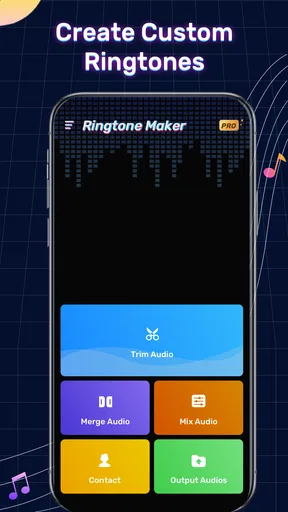
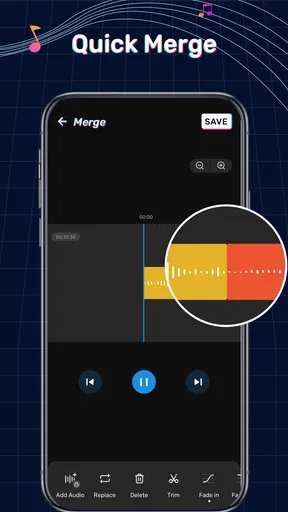
Ringtone Maker: Music Cutter provides a variety of features to customize your ringtones. You can trim audio files, merge different tracks, and apply sound effects. The app supports various audio formats, ensuring compatibility with most files. Additionally, it allows for easy sharing and setting of ringtones directly from the app.
Is Ringtone Maker: Music Cutter easy to use for beginners?
Yes, the app is designed with user-friendliness in mind. It features an intuitive interface that guides users through the process of editing and creating ringtones. Even those new to audio editing will find the step-by-step instructions and straightforward tools easy to navigate.
Does Ringtone Maker: Music Cutter support all audio file formats?
Ringtone Maker: Music Cutter supports a wide range of audio formats, including MP3, WAV, AAC, and more. This compatibility ensures that users can edit almost any audio file they have on their device, making it versatile for different needs.
Are there any in-app purchases or ads in Ringtone Maker: Music Cutter?
While the basic features of Ringtone Maker: Music Cutter are free, there may be in-app purchases available for advanced features or an ad-free experience. Users can decide if they want to upgrade for additional benefits, but the essential functions remain accessible without cost.
Can I use Ringtone Maker: Music Cutter without an internet connection?
Yes, Ringtone Maker: Music Cutter can be used offline. Once downloaded, you do not need an internet connection to access the app and its features, making it convenient for users who may not always have internet access.


